
Essay
The problem is not trying tools
Teams should test new AI tools. Some tools are useful, some are temporary, and some reveal a workflow that should exist even if the tool itself disappears. The danger is not exploration. The danger is letting exploration become the operating system.
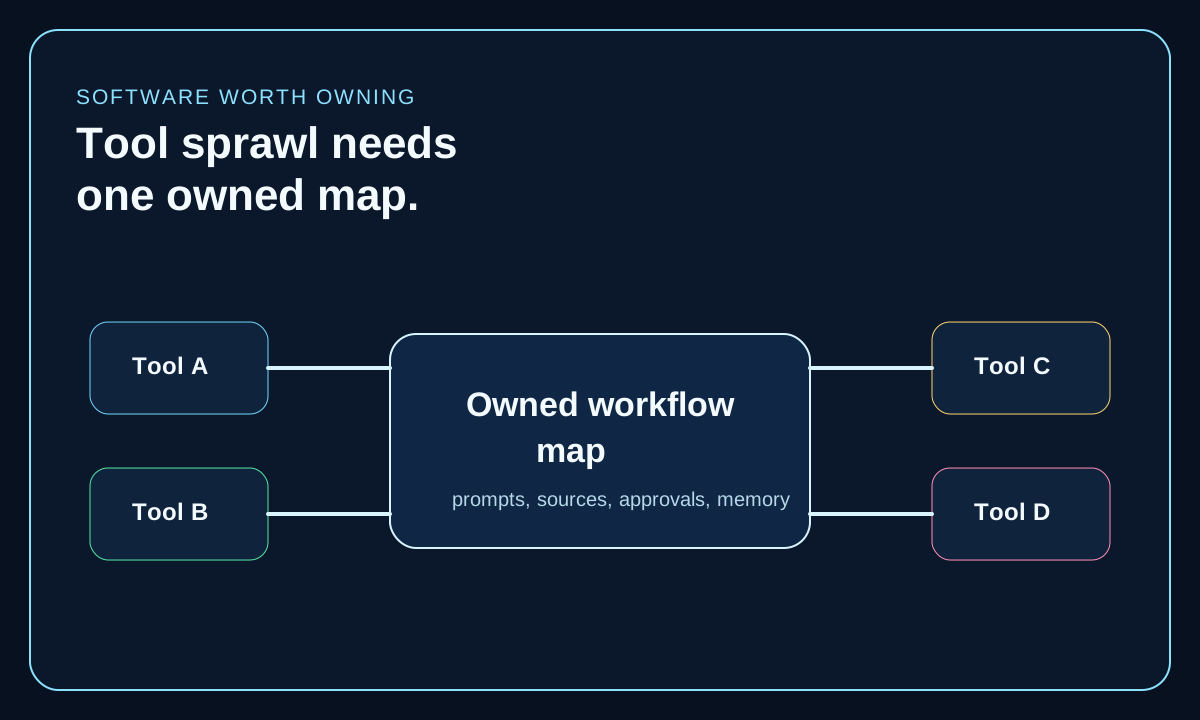
When every team member tests a different assistant, editor, coding agent, search tool, or automation app, the work can move faster while the company map gets weaker. Nobody knows where a source was checked, which prompt produced the useful answer, who approved the change, or which tool now owns the next step.
Essay
The map belongs above the apps
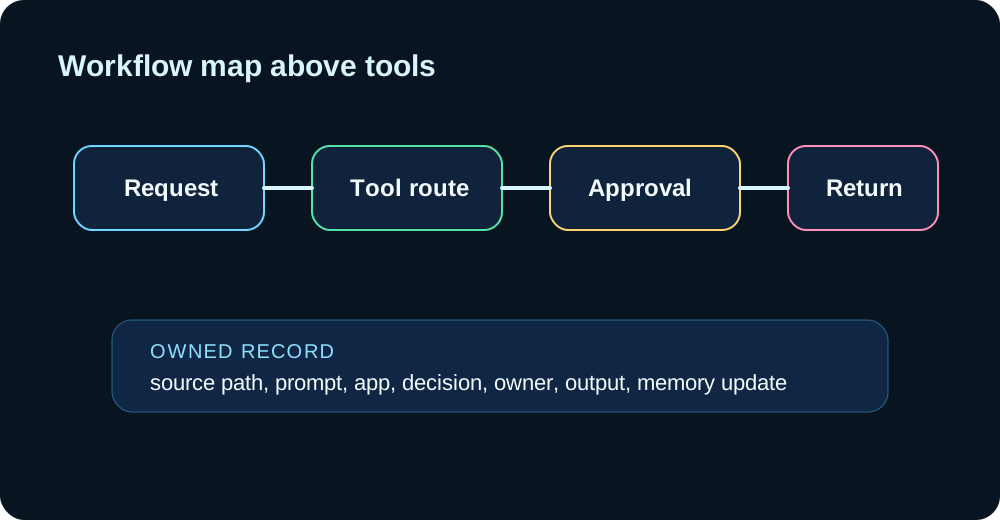
An owned workflow map is the layer that explains how work moves across tools. It names the task, owner, source path, model or app used, approval point, output location, and memory return. It does not require every tool to be replaced. It prevents every tool from becoming the center.
This is where ChipOS matters. The platform should let teams use outside AI tools while keeping the route, decisions, and reusable residue in one owned layer.
- Which tools touch the workflow?
- Where do prompts, files, and source links live?
- Who can approve public, customer-facing, or deployment movement?
- What must return to owned memory after the tool finishes?
Essay
Tool sprawl hides duplicated work
A team often does not notice sprawl because each individual tool feels helpful. The cost appears later: duplicated research, mismatched facts, unclear approval history, repeated prompt repair, and outputs that cannot be defended when a customer, buyer, or manager asks why something changed.
The fix is not to ban tools. The fix is to choose the owned workflow map before tool choice becomes habit. Use the tool that is best for the step, but keep the memory of the work somewhere the company controls.
Essay
Company use starts with one repeated workflow that already matters
The fastest company use is not cataloging every AI app across the business. It is choosing one repeated workflow that already affects delivery, website trust, supplier proof, or team coordination, then naming the route clearly enough that another operator could follow it without guesswork.
That workflow may be a service-page update, a support escalation, a supplier evidence response, or a weekly research brief. The map becomes useful when it identifies the request owner, the source pack, the app or model used for each step, the approval boundary, the final output location, and what must return to shared memory after the run.
Once one workflow is visible, the business can decide which steps can stay rented, which steps need stronger approvals, and which memory should move into a more durable owned layer before the next tool gets added.
- Start with the workflow that repeats often enough to create residue and errors.
- Name the request owner, source pack, tool handoffs, approval point, and final output location.
- Record what must return to owned memory so the next operator does not restart from scratch.
- Use the first mapped workflow as the standard for later AI-tool decisions instead of evaluating each app in isolation.
Essay
Control gets tested when the workflow crosses public or regulated surfaces
Tool sprawl becomes more dangerous the moment a workflow leaves the internal sandbox. A scattered route can still feel harmless while it is generating ideas, but the weakness becomes visible when the same route touches a customer response, a website claim, a supplier document, or a public statement that somebody else may challenge later.
That is where the workflow map has to do more than list apps. It has to show who can approve movement, where the evidence lives, what caveats stay visible, and how the company can reconstruct the path after a tool, provider, or staff change.
In practice, this is the bridge between simple tool use and governed operations. The map is what keeps the company from confusing fast output with controlled movement.
- Mark the first point where the workflow can change a public claim, customer-facing record, or regulated document.
- Attach the evidence path and approval owner before the workflow leaves internal exploration.
- Keep the contact or human-review route visible when the output may be quoted or challenged.
- Test whether the workflow still makes sense after a provider switch or operator handoff.
Essay
The deployment risk is app-by-app adoption without a memory return
The usual deployment mistake is not using too many tools. It is adopting them one by one without defining where prompts, source files, approval notes, and final decisions return after each run. The team gains local speed while the company loses the route.
That creates a fragile operating surface. When a provider changes terms, a workflow moves to another person, or one useful app disappears, the organization discovers that the real system was a pile of screenshots, private prompts, and half-remembered habits.
A workflow map reduces that risk because it gives the company one portable account of how the work moves even if the tools inside the route keep changing.
- Do not evaluate a new app only on output quality. Test whether the workflow residue can return to owned memory.
- Keep prompt locations, source paths, and approval notes outside any single rented interface.
- Check whether the workflow can survive a provider, pricing, or staff change without losing reconstructability.
- Mirror the route in one owned map before scaling the workflow across more teams.
Essay
The next move
Pick one repeated workflow and map it from request to result. Include the tools, prompt locations, source files, approval point, final output, and memory return. If the map cannot be drawn, the workflow is already scattered, even if every tool inside it feels useful.
Start where tool sprawl already touches business weight: the service page that gets quoted, the supplier response that needs proof, the support flow that changes records, or the weekly research path that keeps getting rebuilt. Once that route is visible, the next software decision becomes an ownership decision instead of another app experiment.
What to keep
The residue.
- Trying many AI tools is useful only if the workflow map stays owned.
- Prompts, approvals, sources, and memory should not scatter across apps without a route back.
- The tool is not the system of record. The workflow map is.
- The first anti-sprawl move is mapping one repeated workflow from request to return.
- Public, buyer-facing, or regulated workflows expose tool sprawl faster than internal experiments do.
- The workflow should stay portable even when apps, vendors, or operators change.
Operator view
Turn the essay into a company decision.
FAQ
Short answers for search and operators.
What is AI tool sprawl?
AI tool sprawl happens when many AI apps touch company work but no owned map shows where prompts, sources, files, approvals, decisions, and reusable memory live.
Should teams reduce the number of AI tools?
Sometimes, but the first step is mapping the workflow. A team can use several tools safely if the route, approval points, and memory return stay clear and owned.
Why does ChipOS care about tool sprawl?
Because ChipOS is meant to sit above tools as the owned control layer. It should let useful tools remain useful while keeping workflow memory and decisions with the operator.
Which workflow should a company map first?
Start with the repeated workflow that already carries business weight: a quoted service page, a proof-heavy supplier response, a support path that changes records, or any route where a new operator would struggle to reconstruct how the work moved.
How do teams know when tool sprawl becomes a governance problem?
It becomes a governance problem when the workflow crosses into customer-facing, public, financial, procurement, or regulated surfaces and the team can no longer show who approved movement, where the evidence lives, or how the route can be reconstructed after a tool change.
Can a company keep using external AI tools without losing control?
Yes. The point is not to ban external tools. The point is to keep the workflow map, approvals, source paths, memory return, and evidence boundary in an owned layer so the route stays portable even if the apps change.
Sources
Where this connects inside ChipOS.
- ChipOS Use CasesUsed for the workflow-first view of connecting tools before rebuilding them.
- New AI Software Should Be Judged by What the Owner KeepsUsed for the ownership test applied to individual AI tools.
- The Real Risk of SaaS Automation Is Workflow CaptivityUsed for the risk that workflow intelligence stays trapped across rented surfaces.
- AI Audit Trails Need an Owned Evidence LayerUsed for the proof, approval, and reconstruction requirements that turn tool sprawl into an operating risk once a workflow leaves internal experimentation.
- AI Visibility Audits Should Start With the Page Buyers QuoteUsed for the quoted-page example where public discovery, buyer trust, and workflow ownership meet on one visible surface.
- GCE: How to Prepare for CBAM Supplier Data RequestsUsed as the applied proof-heavy workflow example where source tracking, approvals, and submission-ready evidence break quickly when the route is scattered across tools.
Across the ecosystem
Comments
Leave a signal for Chip.
Add a correction, operator note, source context, or practical consequence. Comments enter moderated review before they become public.